
Reviews (17)
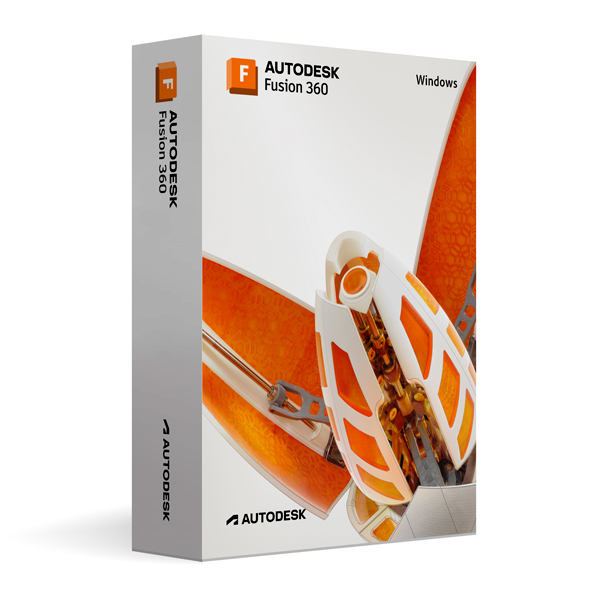
Autodesk Fusion 360 for Windows
On Offer • Selling Fast£69.99

LIFELONG 24/7 SUPPORT FROM REAL EXPERTS – INCLUDED AT NO EXTRA COST

100% Buyer Protection
Payments protected by Stripe fraud prevention.

Instant Delivery
Automatic email delivery right after payment.

Free Expert Support
Help with setup, activation, and troubleshooting.

Original License
Genuine license securely linked to your account.

Secure Payments
SSL-encrypted payments via trusted providers.

Invoice Available
Download your invoice after purchase.
This edition of Autodesk is licensed for personal and non-commercial purposes under an educational license. It offers the exact same features and performance as the commercial version, produces identical output without watermarks, and ensures full professional-grade functionality.
Overview
Autodesk Fusion 360 for Windows is a next-generation platform that brings together the power of CAD, CAM, and CAE in a single cloud-based solution. Developed for designers, engineers, and manufacturers, it eliminates the need for multiple software tools by integrating every stage of product development into one streamlined workflow. From initial sketches and conceptual modeling to simulation, manufacturing, and final output, Fusion 360 delivers a complete toolkit that adapts to your creative and technical needs. Whether you are developing mechanical components, consumer products, or custom prototypes, this software empowers you to design, test, and produce with unmatched speed and efficiency.
All-in-One Workflow
One of Fusion 360’s greatest strengths is its seamless integration of design and engineering processes. You can start with a simple 2D sketch, evolve it into a fully detailed 3D model, and then move directly into simulation to verify performance under real-world conditions. Need to manufacture your part? The built-in CAM tools allow you to generate CNC toolpaths or prepare files for 3D printing without leaving the platform. This connected workflow not only saves time but also ensures greater accuracy by keeping all design data within a single environment. Collaboration is equally effortless thanks to its cloud-based architecture, allowing teams to share models, review changes, and work together in real time from anywhere in the world.
Performance & Innovation
Fusion 360 for Windows is built to handle the most demanding projects, offering parametric, direct, and freeform modeling tools to give you full control over your designs. Its advanced generative design capabilities allow the software to suggest optimal geometry based on your specified constraints, helping you create lighter, stronger, and more cost-effective parts. The latest release improves simulation accuracy, expands manufacturing workflows, and delivers faster rendering times for both visualizations and technical documentation. Its user interface has been refined for greater productivity, making it easy for both new users and seasoned professionals to navigate complex projects with confidence.
System Compatibility
Designed for Windows 10 and Windows 11 (64-bit), Fusion 360 runs smoothly on modern multi-core Intel or AMD processors, with a recommended 8 GB of RAM for best performance (4 GB minimum). A DirectX 11 capable graphics card with at least 1 GB of VRAM ensures fluid model manipulation and rendering. With a relatively light installation footprint of about 3 GB, the software is accessible to both high-end workstations and well-equipped laptops, enabling you to design anywhere without sacrificing performance.
Simple Activation
Purchasing Fusion 360 through this offer guarantees a straightforward setup. You will receive the official Autodesk download package for Windows along with detailed installation instructions. Activation is completed via your Autodesk account using your email address—no license key or serial number is required. Once activated, you will enjoy lifetime access for personal and educational use, with the assurance that you are working in a fully legitimate, secure Autodesk environment.
Why Choose Fusion 360
Unlike traditional design tools that focus on only one stage of the development process, Fusion 360 offers end-to-end functionality in a single subscription-free package under this educational license. It combines precision CAD drafting, powerful 3D modeling, realistic rendering, advanced simulation, and integrated manufacturing workflows into one coherent experience. This eliminates compatibility issues, reduces learning curves, and allows you to focus entirely on bringing your ideas to life. With its balance of power, accessibility, and affordability, Fusion 360 is an unbeatable choice for students, hobbyists, and professionals seeking professional-grade tools without commercial licensing costs.
Start Designing Today
Order Autodesk Fusion 360 for Windows now to experience a complete design and engineering solution in one package. Download it instantly, activate it securely, and begin working on projects that range from intricate mechanical assemblies to large-scale engineering designs. With Fusion 360, you can move from concept to creation faster than ever before—confident that every tool you need is built into one powerful platform.




Phoebe L. –
The activation was seamless and fast. Everything was explained clearly, and the whole process was very straightforward. I liked how secure the service felt throughout. Everything worked the first time. I’ll recommend this to others.
Stephen M. –
Everything worked flawlessly. The process was simple, and I’ll definitely use this service again.
Joshua P. –
Nothing went wrong, which is honestly what I was hoping for.
Adam G. –
The ordering process was clear, and the activation happened immediately. Everything worked without complications. It was fast, secure, and reliable. Very happy with the service.
Maureen S. –
I wouldn’t rush to praise it, but it did what it was meant to do without causing issues.
Sean H. –
Overall, it worked as expected, even if it took a bit of time.
Peter L. –
I appreciated how straightforward the whole process was. Everything was completed in a matter of minutes.
Megan W. –
Not something I’d describe as seamless, but it was stable. I didn’t need to redo anything.
Sean S. –
The process felt ordinary, which is fine.
Henry B. –
The setup wasn’t instant and required a bit of patience, but I didn’t run into any technical problems.
Freya C. –
The setup felt a bit dated, but it still worked fine.
Chris P. –
Overall it was okay. Not exciting, not frustrating, just something that worked.
Harry C. –
Setup wasn’t complicated.
Edward S. –
I wouldn’t say it was smooth, but it got the job done.
Olivia C. –
Overall a decent experience, though nothing stood out.
Victoria T. –
It felt average overall, in a good way.
Bilal R. –
The instructions weren’t perfect, but they were good enough to get through the process.