
Reviews (5)
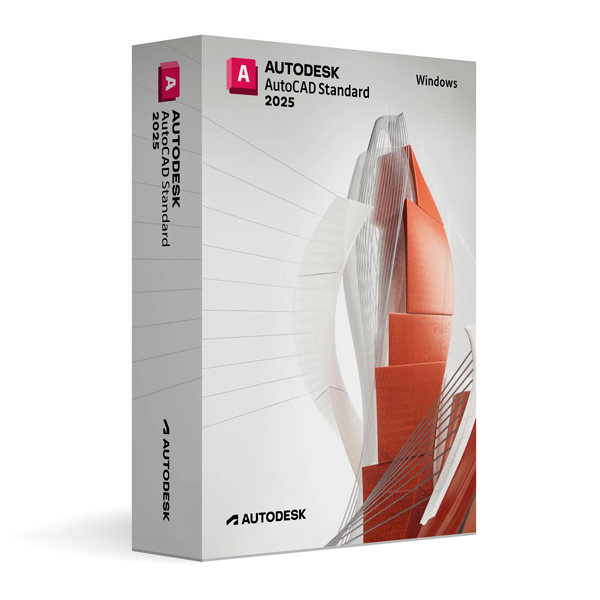
Autodesk AutoCAD 2025 for Windows
On Offer • Selling Fast£69.99

LIFELONG 24/7 SUPPORT FROM REAL EXPERTS – INCLUDED AT NO EXTRA COST

100% Buyer Protection
Payments protected by Stripe fraud prevention.

Instant Delivery
Automatic email delivery right after payment.

Free Expert Support
Help with setup, activation, and troubleshooting.

Original License
Genuine license securely linked to your account.

Secure Payments
SSL-encrypted payments via trusted providers.

Invoice Available
Download your invoice after purchase.
This edition of Autodesk is licensed for personal and non-commercial purposes under an educational license. It offers the exact same features and performance as the commercial version, produces identical output without watermarks, and ensures full professional-grade functionality.
Overview
Autodesk AutoCAD 2025 for Windows is the industry-leading CAD software for 2D drafting, 3D modeling, and professional documentation. Trusted by architects, engineers, designers, and drafters worldwide, it delivers a powerful suite of tools that enable precise design, efficient workflow management, and seamless collaboration. Whether you are producing complex engineering schematics, detailed architectural plans, or intricate product designs, AutoCAD 2025 provides the performance and reliability needed to bring your vision to life.
Complete Design and Documentation Tools
AutoCAD 2025 offers a comprehensive set of features for creating and editing geometry, managing layers, and applying intelligent annotations. Its 3D modeling capabilities allow you to work with solids, surfaces, and meshes, while advanced rendering tools help produce photorealistic visualizations. Dynamic blocks, parametric constraints, and specialized tool palettes streamline repetitive tasks, ensuring accuracy and saving valuable time during the design process.
What’s New in AutoCAD 2025
The 2025 release introduces improved graphics performance, faster file processing, and enhanced stability for large-scale projects. Refined layer controls, upgraded plotting tools, and a more responsive interface make the drafting experience smoother. Expanded integration with AutoCAD web and mobile apps allows you to access and edit your designs from virtually anywhere, ensuring uninterrupted productivity. Additionally, new automation features and enhanced commands further optimize workflow efficiency.
Optimized for Windows
AutoCAD 2025 for Windows is engineered to leverage the capabilities of the latest Windows operating systems, including full support for multi-monitor setups, high-resolution displays, and hardware acceleration. The modern ribbon interface and customizable workspaces allow you to tailor the environment to your specific needs, enhancing comfort and efficiency.
Collaboration & Compatibility
As the standard in CAD file formats, DWG ensures perfect interoperability with other AutoCAD installations and compatible applications. AutoCAD 2025 also supports PDF import and export, DWF, DXF, and IFC formats, enabling smooth collaboration with clients, consultants, and multidisciplinary teams. Integration with Autodesk Docs offers secure cloud storage, version tracking, and controlled access for team projects.
Customization & Automation
AutoCAD 2025 supports extensive customization through LISP, VBA, .NET, and custom scripts, allowing users to automate repetitive tasks and integrate third-party tools. Personalized tool palettes, templates, and drawing standards help standardize workflows and ensure project consistency, making it a flexible solution for diverse industries.
System Requirements
Autodesk AutoCAD 2025 for Windows requires Windows 10 or Windows 11 (64-bit) with a multi-core Intel or AMD processor. A minimum of 8 GB RAM is needed (16 GB recommended for large projects), along with a DirectX 12 compatible GPU with at least 2 GB VRAM. Installation requires approximately 10 GB of free disk space, plus additional space for project files.
Simple Activation
When you purchase AutoCAD 2025 for Windows, you will receive the official Autodesk installer, a detailed setup guide, and activation through your Autodesk account—no license key required. Once activated, you will have lifetime access for personal and educational use under the educational license terms.
Why Choose AutoCAD 2025 for Windows
AutoCAD 2025 continues to set the standard for computer-aided design, offering unparalleled precision, reliability, and flexibility. It is the ideal choice for professionals across architecture, engineering, construction, and manufacturing who demand industry-leading tools and workflows.
Design with Confidence
Order Autodesk AutoCAD 2025 for Windows today to unlock advanced 2D drafting and 3D modeling capabilities. Download instantly, activate securely, and start creating professional-grade designs with efficiency and precision.
Related products
-

Microsoft Windows 11 Home
£19.99





Jessica H. –
I found it very easy to use. The activation happened instantly and without issues.
Noah T. –
Fast service, trustworthy company.
Sebastian T. –
Great service, highly recommend.
Poppy B. –
Everything was quick and efficient. The process felt professional and safe from the start.
William H. –
Very quick, efficient, and reliable. Everything was done in minutes, and I had no issues at all. It was an easy and stress-free experience. Perfect service.