
Reviews (18)
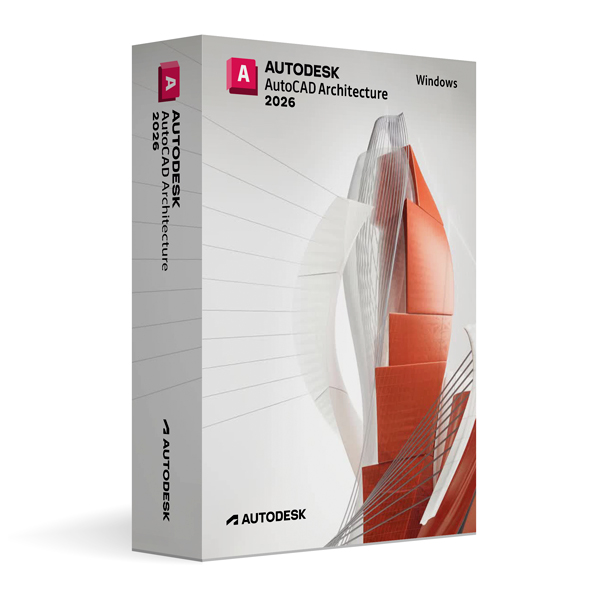
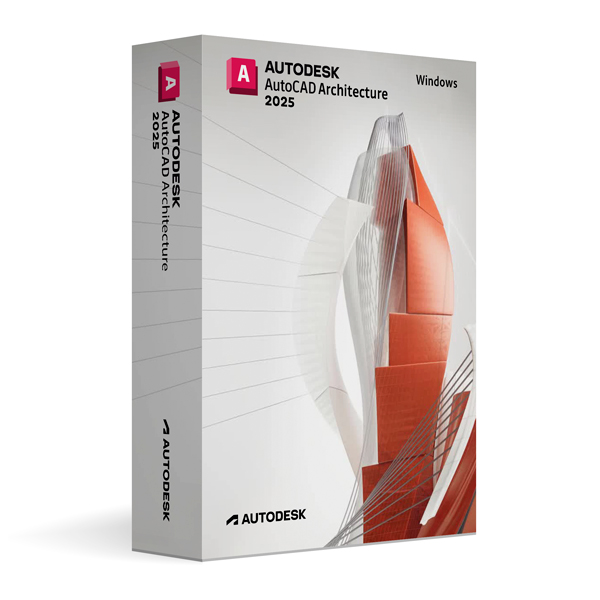
Autodesk AutoCAD Architecture 2026 for Windows
On Offer • Selling Fast£89.99

LIFELONG 24/7 SUPPORT FROM REAL EXPERTS – INCLUDED AT NO EXTRA COST

100% Buyer Protection
Payments protected by Stripe fraud prevention.

Instant Delivery
Automatic email delivery right after payment.

Free Expert Support
Help with setup, activation, and troubleshooting.

Original License
Genuine license securely linked to your account.

Secure Payments
SSL-encrypted payments via trusted providers.

Invoice Available
Download your invoice after purchase.
This edition of Autodesk is licensed for personal and non-commercial purposes under an educational license. It offers the exact same features and performance as the commercial version, produces identical output without watermarks, and ensures full professional-grade functionality.
Overview
Autodesk AutoCAD Architecture 2026 for Windows is a specialized version of AutoCAD tailored for architects, building designers, and construction professionals. It combines the precision drafting tools of AutoCAD with architectural design features that streamline the creation of drawings, documentation, and building models. With purpose-built tools for architectural workflows, AutoCAD Architecture 2026 allows you to design more efficiently, produce accurate documentation, and deliver projects with greater speed and confidence.
Architecture-Focused Design Tools
AutoCAD Architecture 2026 enhances the standard AutoCAD environment with intelligent architectural objects, such as walls, doors, windows, stairs, and roofs, that maintain relationships and update automatically when designs change. Annotation tools are optimized for building plans, and schedules are dynamically linked to the design, ensuring accuracy in documentation. These smart objects not only save time but also reduce errors, enabling a smoother transition from concept to construction documentation.
What’s New in AutoCAD Architecture 2026
The 2026 release introduces performance optimizations, improved BIM interoperability, and enhanced automation for repetitive architectural tasks. Updated object styles and component libraries help speed up the modeling process, while expanded IFC export/import capabilities allow for better collaboration with BIM platforms like Autodesk Revit. Enhanced visualization tools deliver more realistic renderings and walkthroughs, helping clients and stakeholders better understand your designs.
Integrated Project Documentation
With AutoCAD Architecture 2026, your 3D building model and project documentation are fully integrated. Any change made to the model automatically updates associated floor plans, sections, elevations, and schedules. This dynamic coordination reduces manual drafting work and ensures consistency across all project deliverables. Built-in detail components and keynoting tools make it easier to meet industry documentation standards.
Collaboration & Workflow Integration
AutoCAD Architecture 2026 supports DWG file compatibility, enabling seamless collaboration with engineers, consultants, and contractors who use standard AutoCAD. It also integrates with Autodesk Docs for cloud-based storage, version control, and project sharing, making it easy to collaborate with distributed teams. Enhanced BIM interoperability ensures smooth data exchange with other design platforms, supporting a connected project workflow.
Performance & Customization
Optimized for architectural projects, AutoCAD Architecture 2026 offers faster load times, smoother model navigation, and efficient memory usage when handling large building designs. The software can be customized with industry-specific templates, palettes, and automation scripts to match your firm’s standards and workflow preferences. Using AutoLISP, .NET, or VBA, you can extend functionality to automate repetitive tasks or integrate with other tools.
System Requirements
Autodesk AutoCAD Architecture 2026 for Windows requires Windows 10 or Windows 11 (64-bit) and a multi-core Intel or AMD processor. A minimum of 8 GB RAM is required (16 GB recommended for larger projects), along with a DirectX 12 compatible GPU with at least 2 GB VRAM. Installation requires approximately 12 GB of free disk space, plus additional space for project files and libraries.
Simple Activation
When you purchase AutoCAD Architecture 2026 for Windows, you will receive the official Autodesk installer, a comprehensive installation guide, and activation through your Autodesk account—no license key is required. Once activated, you will have lifetime access for personal and educational use under the educational license terms.
Why Choose AutoCAD Architecture 2026 for Windows
By combining the drafting precision of AutoCAD with purpose-built architectural tools, AutoCAD Architecture 2026 enables faster design, better coordination, and more accurate documentation. It is an essential solution for architects who want to work within a familiar CAD environment while benefiting from intelligent building design features. The 2026 release further enhances productivity with improved performance, expanded BIM capabilities, and smarter automation tools.
Design Smarter, Build Better
Order Autodesk AutoCAD Architecture 2026 for Windows today and gain access to the latest architectural design and documentation technology. Download instantly, activate securely, and start creating high-quality building designs with confidence and efficiency.
Related products
-

Microsoft Windows 11 Home
£19.99



Noah R. –
The order was processed quickly, and everything was working within minutes. I didn’t encounter a single problem, which was great. The clear steps made the whole process stress-free. I appreciated the professionalism. Excellent service overall.
Oscar F. –
I couldn’t believe how fast it was. Everything worked instantly, and the process was simple. It was very professional and trustworthy. I highly recommend it.
Sophie T. –
I had a smooth and easy experience. The process was transparent, and everything worked right away.
Christopher H. –
Great experience, safe and simple.
Laura H. –
Pretty average experience overall, in a good way.
Alfie M. –
I had to wait at one point and thought it might’ve stalled, but it finished.
Dan R. –
The steps made sense once I followed them properly. No need to redo anything.
Jamie L. –
I wouldn’t say it was effortless, but it wasn’t frustrating either.
Euan P. –
It took a bit longer than expected and required actually reading the instructions, but everything worked as promised.
Jack H. –
Not instant, not difficult. Somewhere in the middle, really.
Theo C. –
Nothing unexpected happened, which I’ll take as a win.
Adam T. –
Everything went through smoothly enough in the end.
Rania C. –
It wasn’t as smooth as I expected, but it also wasn’t a headache. Just a fairly normal setup that required some patience.
Noor H. –
Fairly smooth experience, even if it didn’t feel especially quick.
Imran S. –
No warnings or strange messages during setup.
Chris S. –
Setup wasn’t instant and required some attention, but it worked.
Noor M. –
Nothing failed or needed troubleshooting, which is honestly what I care about most.
Theo W. –
Easy to get going.