
Reviews (19)
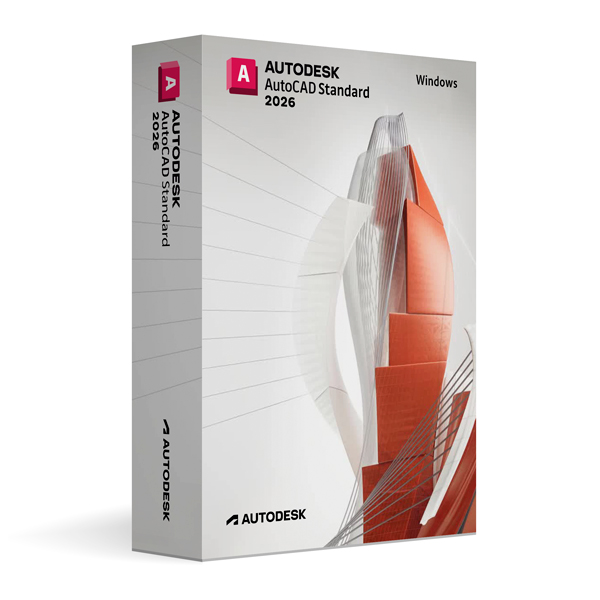
Autodesk AutoCAD 2026 for Windows
On Offer • Selling Fast£89.99

LIFELONG 24/7 SUPPORT FROM REAL EXPERTS – INCLUDED AT NO EXTRA COST

100% Buyer Protection
Payments protected by Stripe fraud prevention.

Instant Delivery
Automatic email delivery right after payment.

Free Expert Support
Help with setup, activation, and troubleshooting.

Original License
Genuine license securely linked to your account.

Secure Payments
SSL-encrypted payments via trusted providers.

Invoice Available
Download your invoice after purchase.
This edition of Autodesk is licensed for personal and non-commercial purposes under an educational license. It offers the exact same features and performance as the commercial version, produces identical output without watermarks, and ensures full professional-grade functionality.
Overview
Autodesk AutoCAD 2026 for Windows is the industry-leading CAD software trusted by architects, engineers, and designers for creating precise 2D drawings and sophisticated 3D models. Known for its unmatched accuracy, powerful drafting capabilities, and robust customization options, AutoCAD 2026 enables professionals to design, document, and communicate ideas with exceptional clarity. Whether you are developing detailed construction plans, complex engineering schematics, or intricate product designs, AutoCAD 2026 offers the performance and reliability to bring your vision to life.
Professional-Grade Design Tools
AutoCAD 2026 delivers an extensive set of drafting and modeling features to support a wide range of design disciplines. In 2D, you can produce detailed drawings with precise dimensions, annotations, and layering systems for optimal organization. In 3D, you can create realistic models using solids, surfaces, and meshes, then render them with photorealistic quality. Intelligent object snapping, dynamic blocks, and parametric constraints help you draft faster and with greater accuracy, while built-in collaboration tools streamline teamwork and project sharing.
What’s New in AutoCAD 2026
The 2026 release brings performance enhancements, AI-powered automation, and expanded interoperability. New intelligent drafting features help predict and automate repetitive design actions, reducing manual effort. Improved 3D modeling tools allow for more complex geometry creation and editing, while updated rendering capabilities provide faster and more realistic visualizations. Enhanced integration with cloud services ensures seamless file sharing, version control, and cross-platform collaboration, whether your team is working locally or remotely.
Specialized Toolsets
AutoCAD 2026 includes access to industry-specific toolsets for architecture, mechanical design, electrical systems, and more. These toolsets provide libraries of pre-built components, specialized commands, and automated workflows tailored to different disciplines, increasing efficiency and consistency across projects. By using these toolsets, professionals can reduce drawing time, improve standardization, and enhance project accuracy.
Collaboration & Workflow Integration
Seamlessly integrating with other Autodesk solutions, AutoCAD 2026 supports DWG file sharing and direct interoperability with Revit, Inventor, and Civil 3D. Cloud integration via Autodesk Docs allows you to store, manage, and review project files securely, with the ability to access them on desktop, web, or mobile devices. Markup Import and Markup Assist features make it easier to incorporate feedback directly into your drawings without manual tracing or re-entry.
Performance & Customization
Optimized for speed and stability, AutoCAD 2026 ensures smooth navigation even in large and complex projects. Users can customize the interface, create custom commands, and develop automation scripts using AutoLISP, .NET, or VBA. This adaptability makes AutoCAD suitable for a variety of workflows, from small design studios to large engineering firms with complex project needs.
System Requirements
Autodesk AutoCAD 2026 for Windows requires Windows 10 or Windows 11 (64-bit) and a multi-core Intel or AMD processor. A minimum of 8 GB RAM is required (16 GB recommended), along with a DirectX 12 compatible GPU with at least 2 GB VRAM. Installation requires approximately 10 GB of free disk space, plus additional space for project files and libraries.
Simple Activation
When you purchase AutoCAD 2026 for Windows, you receive the official Autodesk installer, a detailed setup guide, and activation via your Autodesk account—no license key required. Once activated, you will have lifetime access for personal and educational use under the educational license terms.
Why Choose AutoCAD 2026 for Windows
AutoCAD continues to set the standard for CAD software by combining powerful drafting tools, advanced 3D modeling capabilities, and extensive customization options. The 2026 release enhances productivity with smarter automation, improved interoperability, and faster performance, making it the ultimate choice for professionals who demand precision, efficiency, and reliability in their design work.
Design with Confidence
Order Autodesk AutoCAD 2026 for Windows today and experience the latest advancements in professional CAD technology. Download instantly, activate securely, and start creating detailed, accurate, and professional designs with the world’s most trusted CAD solution.
Related products
-

Microsoft Windows 11 Home
£19.99




Phoebe A. –
Fast and reliable, thank you.
Molly T. –
Excellent service, no complications at all. Everything was fast and reliable.
John W. –
Everything went better than I expected. The activation was fast and smooth, and the whole process was reliable. I had no issues at all, which was a relief. Great experience.
Archie R. –
The service exceeded my expectations. Everything was handled professionally and without delay. The activation was fast and problem-free. Very satisfied.
Elliot H. –
All done without any hassle.
Chloe H. –
Not the smoothest setup I’ve used, but acceptable.
Zain W. –
Did what it said it would.
Kieran P. –
I had low expectations going in, so I was pleasantly surprised that nothing went wrong during setup.
Natalie R. –
It got there eventually. Nothing broke, so that’s fine by me.
Nick C. –
Seemed normal enough.
Poppy T. –
Pretty average experience from start to finish.
Daisy L. –
At first it wasn’t obvious what was happening, but after waiting, everything completed.
Tariq L. –
There were no major issues, but it also wasn’t a smooth click-and-go situation. Still manageable.
Ethan C. –
Everything worked in the end.
Imogen R. –
I wouldn’t call it smooth, but it wasn’t bad. Just a standard setup that worked once it was done.
James C. –
In the end, it worked as expected.
Alex H. –
There was a short wait that made me wonder, but it carried on.
Irene H. –
Fairly simple once I started.
Steven C. –
I went into this expecting it to be more complicated than it was. The setup took a bit of time and didn’t feel especially smooth, but nothing actually failed. Once it finished, everything worked fine, so I can’t really complain.