
Reviews (33)
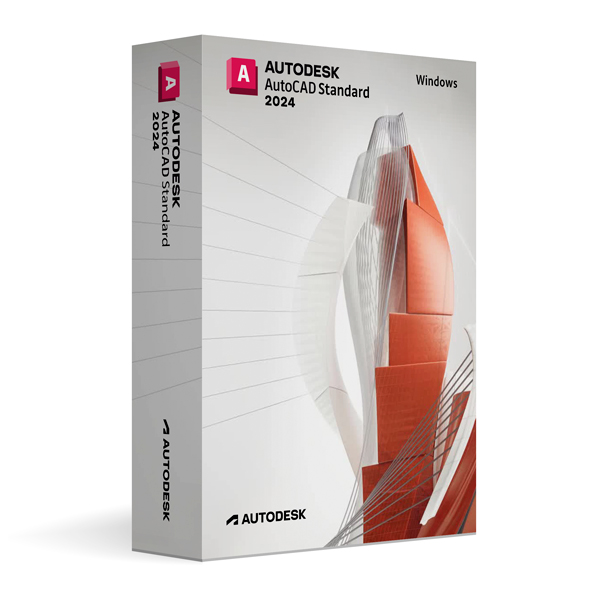
Autodesk AutoCAD 2024 for Windows
On Offer • Selling Fast£49.99

LIFELONG 24/7 SUPPORT FROM REAL EXPERTS – INCLUDED AT NO EXTRA COST

100% Buyer Protection
Payments protected by Stripe fraud prevention.

Instant Delivery
Automatic email delivery right after payment.

Free Expert Support
Help with setup, activation, and troubleshooting.

Original License
Genuine license securely linked to your account.

Secure Payments
SSL-encrypted payments via trusted providers.

Invoice Available
Download your invoice after purchase.
This edition of Autodesk is licensed for personal and non-commercial purposes under an educational license. It offers the exact same features and performance as the commercial version, produces identical output without watermarks, and ensures full professional-grade functionality.
Overview
Autodesk AutoCAD 2024 for Windows is the industry-standard CAD software trusted by architects, engineers, and design professionals worldwide for creating precise 2D drawings and advanced 3D models. Combining robust drafting tools, intelligent automation, and seamless collaboration capabilities, AutoCAD 2024 enables users to design, document, and communicate their ideas with unparalleled accuracy and efficiency. Its flexible workspace customization and industry-standard DWG file format make it the go-to solution for professionals across multiple disciplines.
Professional Drafting & Design Tools
AutoCAD 2024 for Windows offers an extensive range of tools for 2D drafting, 3D modeling, annotation, and documentation. From creating construction plans and mechanical drawings to detailed product designs, its intelligent object snaps, advanced layer controls, and reusable blocks ensure consistency and productivity. The software supports both parametric and free-form design, allowing for greater creativity and precision in project development.
What’s New in AutoCAD 2024
The 2024 release introduces enhanced performance for working with large and complex drawings, faster rendering in both 2D and 3D views, and improved integration with AutoCAD web and mobile apps. New automation features streamline repetitive tasks, while enhanced PDF import and DWG compare tools make collaboration and revision tracking more efficient. Updates to the user interface provide a smoother, more intuitive experience for professionals at all levels.
Optimized for Windows
Designed to fully leverage Windows 10 and Windows 11, AutoCAD 2024 supports multi-monitor setups, high-resolution displays, and GPU acceleration for faster graphics rendering. Customizable workspaces and ribbon layouts allow users to tailor the interface to their specific workflows, improving efficiency and minimizing learning curves for new team members.
Collaboration & File Compatibility
Using the DWG file format, AutoCAD 2024 ensures seamless compatibility with other DWG-based applications. It also supports formats such as PDF, DGN, and DXF, allowing for flexible collaboration with clients, consultants, and contractors. Autodesk Docs integration offers secure cloud storage, real-time collaboration, and version control, making teamwork easier regardless of location.
3D Modeling & Visualization
AutoCAD 2024 for Windows includes robust 3D modeling capabilities for solids, surfaces, and mesh objects. Designers can apply realistic materials, lighting, and rendering effects to create photorealistic visualizations. Real-time viewport rendering makes it easy to explore and present concepts interactively, helping communicate ideas more effectively to stakeholders.
System Requirements
Autodesk AutoCAD 2024 for Windows requires Windows 10 or Windows 11 (64-bit) with a multi-core Intel or AMD processor. A minimum of 8 GB RAM is recommended (16 GB for larger projects), along with a DirectX 12 capable GPU for optimal display performance. Installation requires approximately 7 GB of free disk space, plus extra space for project files.
Simple Activation
When you purchase Autodesk AutoCAD 2024 for Windows, you will receive the official Autodesk installer, a comprehensive installation guide, and activation through your Autodesk account—no license key is required. Once activated, you will have lifetime access for personal and educational use under the educational license terms.
Why Choose AutoCAD 2024 for Windows
AutoCAD 2024 combines precision drafting, powerful 3D modeling, and industry-leading compatibility in one versatile platform. It’s the ultimate choice for professionals who demand accuracy, speed, and reliability in their CAD workflows.
Design Without Limits
Order Autodesk AutoCAD 2024 for Windows today to gain access to world-class CAD tools. Download instantly, activate securely, and start creating with the trusted power of AutoCAD.
Related products
-
Microsoft Windows 10 Home
£19.99



George B. –
Very easy process, no delays.
Reece C. –
The whole process was very smooth. Activation was immediate, and everything worked exactly as described. It was quick, reliable, and professional. I’ll be using it again.
Joanne S. –
Setup wasn’t complicated at all.
Lina P. –
No problems at any stage.
Edward F. –
Simple purchase, fast download, and quick activation.
June B. –
Clear instructions and a clean setup process.
Igor I. –
Download came through quickly and the installation went fine. I had to reread one step, but after that it worked with no problems.
Liam J. –
I had no complications whatsoever. Everything was activated quickly, and the process was easy to follow. It felt professional and secure. Very happy with the outcome.
Hannah L. –
I was expecting some hassle, but it went smoother than I thought.
Poppy C. –
Very efficient and user-friendly. Everything worked instantly.
Dev G. –
Everything worked correctly once it was installed. No issues so far.
Ella H. –
Worked instantly, no issues whatsoever.
Isaac A. –
The whole setup felt pretty straightforward. Nothing confusing or frustrating along the way.
Alice I. –
Overall, a decent and smooth experience.
Nick A. –
Everything installed properly and activated as expected.
Hania C. –
Setup was easier than I expected.
Sophie B. –
Everything downloaded and installed correctly on the first attempt.
Viktor K. –
Installation went smoothly on my PC.
Mhairi C. –
The whole thing felt pretty normal. No fancy setup, no extra steps, just download, install, and use.
William R. –
No strange messages or problems during setup, which I appreciated.
Mariam L. –
Download and installation were both easy enough to handle.
Rob D. –
Everything installed correctly on the first try, which doesn’t always happen for me.
Sarah F. –
This was my first time using a digital license like this, and it went better than expected. Everything worked on the first try.
Daria T. –
I was a bit cautious during installation, but there was nothing to worry about. It worked fine in the end.
Jordan E. –
Took a bit longer than expected, but still easy enough.
Isla S. –
The process felt normal and straightforward.
Thomas W. –
Simple process and fast activation.
Ivy L. –
I appreciated how easy the steps were to follow. No guessing involved.
Raj I. –
Overall, it was a relaxed and easy experience. Nothing to complain about.
Anna N. –
It took a little patience, but nothing difficult. The activation went through fine.
Yusuf F. –
I was a bit unsure at first, but once I followed the instructions, it went smoothly.
Amber W. –
Activation went through without errors.
Nicola L. –
Activation wasn’t instant, but it only took a short moment.