
Reviews (18)
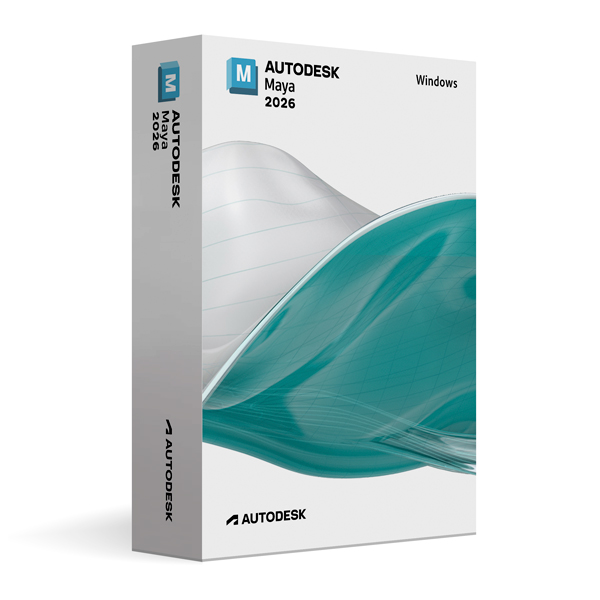
Autodesk Maya 2026 for Windows
On Offer • Selling Fast£89.99

LIFELONG 24/7 SUPPORT FROM REAL EXPERTS – INCLUDED AT NO EXTRA COST

100% Buyer Protection
Payments protected by Stripe fraud prevention.

Instant Delivery
Automatic email delivery right after payment.

Free Expert Support
Help with setup, activation, and troubleshooting.

Original License
Genuine license securely linked to your account.

Secure Payments
SSL-encrypted payments via trusted providers.

Invoice Available
Download your invoice after purchase.
This edition of Autodesk is licensed for personal and non-commercial purposes under an educational license. It offers the exact same features and performance as the commercial version, produces identical output without watermarks, and ensures full professional-grade functionality.
Overview
Autodesk Maya 2026 for Windows is a world-class 3D modeling, animation, simulation, and rendering software trusted by top studios in film, television, game development, and visual effects. Known for its flexibility, performance, and industry-standard toolset, Maya empowers artists to create anything from highly detailed characters and immersive environments to stunning visual effects. Whether you’re a student exploring 3D for the first time or an experienced professional building complex scenes, Maya 2026 delivers the speed, precision, and creative freedom you need to bring your visions to life.
Comprehensive 3D Creation
Maya 2026 integrates advanced modeling, rigging, animation, simulation, and rendering capabilities into a single platform. Its polygon, NURBS, and subdivision surface modeling tools allow for highly detailed asset creation, while powerful UV mapping and texturing workflows ensure your models are ready for production. Animation is at the heart of Maya, with robust keyframing, motion capture integration, and procedural animation tools that let you bring characters and objects to life with realistic movement. For visual effects, Maya offers industry-leading dynamics and simulation systems for particles, fluids, hair, cloth, and more, giving you full control over every element in your scene.
What’s New in Maya 2026
The 2026 release introduces major performance enhancements and innovative tools to accelerate creativity. A refined animation graph editor improves workflow efficiency, while the new procedural modeling toolkit speeds up environment and prop creation. Real-time physics simulations now run faster and more accurately, allowing for quicker iteration during production. Integration with the latest Arnold Renderer updates brings improved global illumination, denoising, and GPU rendering capabilities, resulting in faster, higher-quality outputs. Maya 2026 also includes enhanced USD (Universal Scene Description) support, making it easier to collaborate across different DCC (digital content creation) tools.
Seamless Collaboration
In modern production pipelines, collaboration is essential, and Maya 2026 excels in connected workflows. Its improved USD support allows for smoother asset exchange between Maya and other applications, while integration with Autodesk ShotGrid enables streamlined production tracking and asset management. Whether you’re part of a large studio team or working remotely, you can share, review, and update scenes in real time, ensuring projects stay on track from start to finish.
Performance & Customization
Optimized for large-scale productions, Maya 2026 delivers faster scene loading, improved viewport performance, and better memory management. Its Python and MEL scripting support lets you customize workflows and automate repetitive tasks, making it ideal for studios with unique pipeline requirements. The software’s modular architecture allows you to tailor the interface and toolsets to match your preferred way of working, keeping everything you need at your fingertips.
System Requirements
Autodesk Maya 2026 is compatible with Windows 10 and Windows 11 (64-bit) and requires a multi-core Intel or AMD processor. A minimum of 8 GB RAM is required (16 GB or more recommended for complex projects), along with at least 4 GB of VRAM on a DirectX 11 compatible GPU. You’ll need approximately 10 GB of free disk space for installation, plus additional space for project files and assets.
Simple Activation
When you purchase Maya 2026 for Windows, you will receive the official Autodesk installer, a detailed installation guide, and activation via your Autodesk account—no license key is required. Once activated, you will have lifetime access for personal and educational use, ensuring you can continue honing your skills and completing projects without interruption.
Why Choose Maya 2026 for Windows
Few 3D packages can match Maya’s combination of creative power, production-proven tools, and flexibility. It is the preferred choice for major studios and freelance artists alike because it handles every stage of production—modeling, animation, effects, rendering—with a high degree of precision and control. By choosing Maya 2026, you are investing in a platform that keeps you competitive in the ever-evolving world of digital content creation.
Create Without Limits
Order Autodesk Maya 2026 for Windows today and gain access to the tools that power the entertainment industry. Download instantly, activate securely, and start building the characters, worlds, and effects you’ve always imagined—knowing you’re working with the same technology used to produce award-winning films and games.




Holly R. –
I’m very satisfied, everything went smoothly.
Rosie R. –
Very positive experience overall. The service was quick and problem-free.
Freya T. –
Everything went smoothly without a single issue. The process was fast, and activation was instant. I appreciated how clear and professional it all felt. Very satisfied.
Fraser S. –
Once the setup finished, everything worked fine, even if getting there took a while.
Anna M. –
In the end, it worked as expected, even if the process felt a bit slow and ordinary.
Isla M. –
Excellent speed and reliability.
Fraser C. –
I expected more hassle, but it turned out alright in the end.
Craig R. –
The instructions could’ve been clearer in places, though they were enough to get through without issues.
Nathan H. –
No issues during installation.
Beth H. –
I wasn’t impressed by the setup experience, but I also didn’t have any issues once it finished.
Sam H. –
I went into it expecting problems, but nothing actually went wrong. It just took longer than I would’ve liked.
Louise P. –
Setup wasn’t complicated.
Imran C. –
Nothing confusing at any point.
Skye R. –
The whole thing felt a bit manual, though manageable. Nothing unexpected happened once it got going.
Ross L. –
The process was okay overall, just not very fast.
Scott B. –
Everything worked in the end.
Craig H. –
It didn’t fail or crash at any point.
Lina P. –
Nothing confusing during setup.