
Reviews (31)
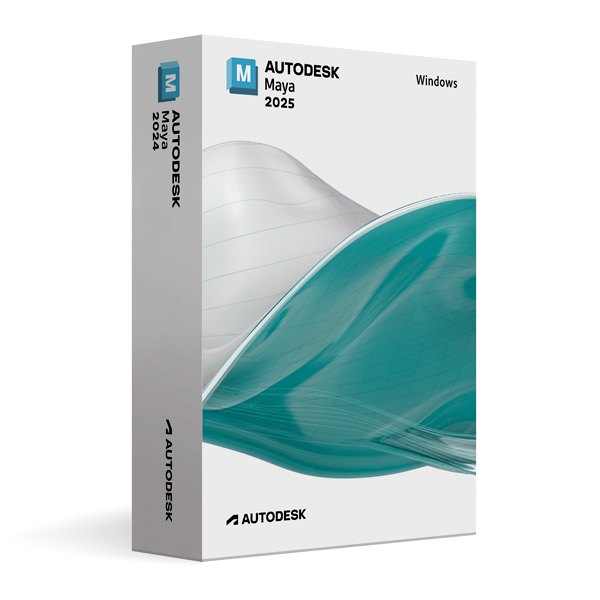
Autodesk Maya 2025 for Windows
On Offer • Selling Fast£69.99

LIFELONG 24/7 SUPPORT FROM REAL EXPERTS – INCLUDED AT NO EXTRA COST

100% Buyer Protection
Payments protected by Stripe fraud prevention.

Instant Delivery
Automatic email delivery right after payment.

Free Expert Support
Help with setup, activation, and troubleshooting.

Original License
Genuine license securely linked to your account.

Secure Payments
SSL-encrypted payments via trusted providers.

Invoice Available
Download your invoice after purchase.
This edition of Autodesk is licensed for personal and non-commercial purposes under an educational license. It offers the exact same features and performance as the commercial version, produces identical output without watermarks, and ensures full professional-grade functionality.
Overview
Autodesk Maya 2025 for Windows is an industry-standard 3D modeling, animation, simulation, and rendering software used by leading studios in film, television, game development, and visual effects. Renowned for its flexibility, precision, and production-proven toolset, Maya gives artists everything they need to create complex characters, realistic environments, and stunning special effects. Whether you are producing high-end cinematic sequences, AAA game assets, or animated series, Maya 2025 equips you with the power and performance to bring your creative vision to life.
Complete 3D Creation Toolkit
Maya 2025 provides an end-to-end solution for asset creation, combining advanced polygon, NURBS, and subdivision surface modeling tools with powerful UV mapping, texturing, and shading workflows. Its animation system supports everything from traditional keyframing to motion capture and procedural animation, enabling realistic character movement and dynamic simulations. Built-in visual effects systems handle particles, fluids, hair, and cloth with precision, giving you control over every detail. The integrated Arnold Renderer ensures that your final renders meet the highest visual standards, whether you’re producing stills, animations, or cinematic sequences.
What’s New in Maya 2025
The 2025 release focuses on performance, workflow efficiency, and enhanced interoperability. A more responsive animation graph editor speeds up keyframe editing, while the new procedural modeling features enable rapid creation of detailed environments and props. Arnold Renderer integration has been improved for faster GPU rendering, better global illumination, and enhanced denoising options. Maya 2025 also expands USD (Universal Scene Description) support, making it easier to collaborate across different 3D content creation tools and pipeline stages.
Collaboration & Pipeline Integration
Modern production demands seamless collaboration, and Maya 2025 delivers with its robust pipeline integration. Expanded USD capabilities allow smooth asset exchange with other DCC (digital content creation) software, while ShotGrid integration supports production tracking and asset management. Whether your team is working in-house or remotely, Maya enables real-time sharing, reviewing, and updating of assets, ensuring consistent progress and quality across all departments.
Performance & Customization
Optimized for large, complex scenes, Maya 2025 offers faster scene loading, improved viewport performance, and better memory management. Artists can customize workflows using Python or MEL scripting to automate repetitive tasks or create studio-specific tools. Its modular interface ensures you can arrange tools and panels to suit your working style, keeping essential features accessible while reducing screen clutter.
System Requirements
Autodesk Maya 2025 for Windows is compatible with Windows 10 and Windows 11 (64-bit) systems and requires a multi-core Intel or AMD processor. At least 8 GB RAM is required (16 GB recommended for complex projects), with a DirectX 11 compatible GPU featuring 4 GB VRAM or more for optimal performance. Installation requires approximately 10 GB of free disk space, plus additional space for project files and assets.
Simple Activation
Purchasing Maya 2025 for Windows includes the official Autodesk installer, a comprehensive setup guide, and activation directly through your Autodesk account—no license key is required. Once activated, you have lifetime access for personal and educational use, allowing you to work on projects at your own pace without worrying about subscription renewals.
Why Choose Maya 2025 for Windows
Maya has been a staple of the entertainment industry for decades because of its unparalleled creative control, production-ready features, and adaptability to any pipeline. With Maya 2025, you benefit from refined tools, faster performance, and expanded interoperability, ensuring your work remains competitive in an ever-evolving creative landscape. Whether you’re an aspiring artist or a seasoned professional, Maya gives you the freedom and precision to create at the highest level.
Unleash Your Creativity
Order Autodesk Maya 2025 for Windows today and access the tools that power the world’s most iconic films, games, and animations. Download instantly, activate securely, and start crafting immersive worlds, lifelike characters, and breathtaking visual effects with the same software trusted by top studios worldwide.
Related products
-
Microsoft Windows 10 Home
£19.99




Leo J. –
Very smooth and straightforward.
Adam S. –
I was pleasantly surprised at how smooth the process was. Everything happened within minutes, and I had no problems. The service was professional and trustworthy. Excellent overall.
Elliot L. –
This was my first order, and I can honestly say the service was outstanding. Everything worked instantly without any hiccups. The process was stress-free, and I felt comfortable using it from start to finish. It was professional, reliable, and efficient. I’ll certainly be back again.
Arthur O. –
I expected some hassle, but there wasn’t any.
Matilda W. –
I didn’t need to look anything up or contact support.
Natalie G. –
Setup was simple even without much technical knowledge.
Fiona M. –
I didn’t run into any problems during setup. Everything felt normal and smooth.
Mark M. –
I had no issues at all, which was great. The activation was quick, and the process was easy to follow. Everything felt professional and safe. I would recommend it.
Charlotte S. –
Took about five minutes from download to activation. No complaints.
Aisha S. –
Took a little time to install, but nothing serious.
Owen K. –
Worked fine on my system without any tweaks.
Emma A. –
The process was clear enough, even without much technical knowledge.
Winifred R. –
Worked right away. No problems at all.
Blake I. –
Had to double-check one step, but after that it worked without issues.
Joshua T. –
I expected some hassle, but it went smoothly.
Dalia T. –
I didn’t notice any errors or delays during the process. Everything felt normal.
Victoria B. –
Everything worked as described, with no surprises along the way.
Mohammad K. –
Instructions were clear and easy to follow.
Samuel P. –
Activation worked fine after installation.
Sunny K. –
Fast process and no complications.
George K. –
Nothing fancy, but it did what it was supposed to do.
Tom K. –
Took maybe 5 minutes total. Pretty easy.
Maureen H. –
Nothing fancy, but it works.
Laura H. –
Clean, fast, and efficient.
Euan O. –
I was expecting it to take longer, but everything was done in minutes.
Leo D. –
Setup was pretty straightforward. Nothing confusing and no errors during installation.
Brenda C. –
The process was clear from beginning to end, and I didn’t need any extra help.
Sienna M. –
Installation finished faster than I thought it would.
Katie T. –
The activation was instant for me.
Louise P. –
Setup was pretty standard and easy.
Pauline S. –
Very easy to set up and use.