
Reviews (18)
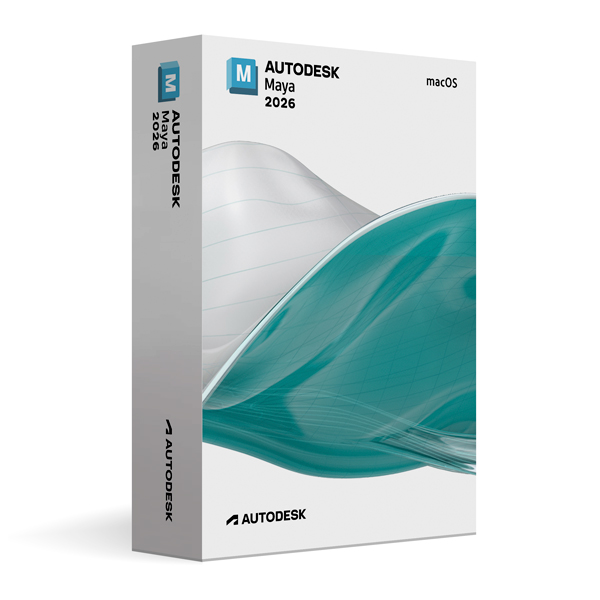
Autodesk Maya 2026 for MacOS
On Offer • Selling Fast£89.99

LIFELONG 24/7 SUPPORT FROM REAL EXPERTS – INCLUDED AT NO EXTRA COST

100% Buyer Protection
Payments protected by Stripe fraud prevention.

Instant Delivery
Automatic email delivery right after payment.

Free Expert Support
Help with setup, activation, and troubleshooting.

Original License
Genuine license securely linked to your account.

Secure Payments
SSL-encrypted payments via trusted providers.

Invoice Available
Download your invoice after purchase.
This edition of Autodesk is licensed for personal and non-commercial purposes under an educational license. It offers the exact same features and performance as the commercial version, produces identical output without watermarks, and ensures full professional-grade functionality.
Overview
Autodesk Maya 2026 for macOS is a premier 3D modeling, animation, simulation, and rendering software trusted by leading studios in film, television, gaming, and visual effects. Known for its flexibility, precision, and industry-proven workflows, Maya 2026 provides artists with the tools to create everything from lifelike characters and expansive environments to cinematic visual effects. This release is fully optimized for macOS, including native Apple Silicon support, delivering exceptional speed, responsiveness, and energy efficiency on both desktop and portable Mac systems.
Advanced 3D Creation
Maya 2026 offers a complete suite of professional tools for modeling, texturing, rigging, animation, and rendering. Artists can work with polygons, NURBS, and subdivision surfaces to create intricate geometry, while advanced UV mapping and texturing workflows ensure assets are ready for production. The animation system supports traditional keyframing, motion capture, and procedural animation, enabling realistic character and object movement. Maya’s industry-leading dynamics and simulation tools handle particles, fluids, hair, cloth, and rigid/soft body physics with precise control, while the integrated Arnold Renderer delivers high-quality, physically accurate renders for both stills and animation.
What’s New in Maya 2026
The 2026 release enhances performance, usability, and creative possibilities. A refined animation graph editor improves workflow efficiency, while the upgraded procedural modeling toolkit accelerates environment and prop creation. Real-time physics simulations now run more efficiently, allowing faster iteration during production. Arnold Renderer integration has been updated with better global illumination, advanced denoising, and improved GPU rendering capabilities. Expanded USD (Universal Scene Description) support makes cross-application collaboration smoother, helping teams work together in complex production pipelines.
Optimized for macOS
Built specifically to take advantage of macOS features, Maya 2026 supports high-resolution Retina displays, intuitive trackpad gestures, and macOS-native shortcuts. Native compatibility with Apple Silicon processors significantly boosts rendering performance and reduces load times while improving battery efficiency for MacBook users. This optimization ensures that whether you’re in a high-end studio or working remotely, Maya runs at peak performance on your Apple device.
Collaboration & Workflow Integration
Maya 2026 is designed to fit seamlessly into collaborative pipelines. Expanded USD capabilities allow efficient asset sharing with other 3D tools, while Autodesk ShotGrid integration provides robust production tracking and asset management. Whether your team is working locally or across multiple locations, real-time scene updates and version control keep everyone in sync, minimizing errors and delays.
Performance & Customization
Engineered for large-scale productions, Maya 2026 offers faster scene loading, smoother viewport performance, and more efficient memory usage. Artists can customize the software with Python and MEL scripting to automate repetitive tasks or develop studio-specific tools. The modular interface allows you to arrange and prioritize your workspace to match your workflow, ensuring maximum productivity.
System Requirements
Autodesk Maya 2026 for macOS requires macOS Monterey or later and supports both Apple Silicon and Intel-based Macs. A minimum of 8 GB RAM is required (16 GB or more recommended for complex projects), along with a dedicated GPU with 4 GB VRAM or the integrated Apple M-series GPU. At least 10 GB of free disk space is needed for installation, plus additional space for project files.
Simple Activation
When you purchase Maya 2026 for macOS, you receive the official Autodesk installer, a detailed installation guide, and activation via your Autodesk account—no license key is required. Once activated, you have lifetime access for personal and educational use under the educational license terms.
Why Choose Maya 2026 for macOS
Maya stands as one of the most respected names in 3D creation, offering unmatched control, flexibility, and visual quality. The macOS-optimized version of Maya 2026 combines the platform’s renowned capabilities with the smooth, integrated experience Apple users expect. From blockbuster film effects to immersive game worlds, Maya gives you the creative power to achieve industry-standard results.
Bring Your Vision to Life
Order Autodesk Maya 2026 for macOS today and start working with the same tools used by top studios around the world. Download instantly, activate securely, and create high-quality characters, environments, and visual effects optimized for the speed and performance of macOS.
Related products
-
Microsoft Windows 10 Home
£19.99




Lauren M. –
The speed of the activation really impressed me. I placed my order, and within minutes everything was ready. I didn’t run into any problems at all. The whole service was smooth, professional, and stress-free. I couldn’t have asked for a better experience.
Benjamin W. –
Quick, reliable, and professional. I had no issues at all and was done within minutes.
Richard B. –
The ordering was simple, and activation happened almost instantly. Everything worked perfectly without any complications. I appreciated how professional the service felt at every step. It gave me complete confidence in the process. I will definitely use it again.
Connor W. –
I had to slow down and read everything properly, otherwise it wouldn’t have been obvious. Once done, though, it worked fine.
Emma G. –
I liked how clear and easy the process was. Everything went smoothly.
Rory W. –
No headaches during setup.
Felix L. –
It took a bit of patience, but nothing broke or failed. Once finished, it was ready to use.
Imogen M. –
The process was manageable, even if not very quick.
Angus L. –
Not the cleanest setup I’ve seen, but it got the job done.
Connor P. –
Instructions made sense once I read them properly.
Sienna W. –
No errors, which was nice.
Louis R. –
No issues on my side once it was done.
Felix W. –
It felt slow at first, but nothing actually went wrong.
Liam T. –
The process was fine overall. Not particularly quick and not especially impressive, but everything worked once it finished.
Salma S. –
Didn’t take very long.
Natalie S. –
Nothing fancy about it, just a standard setup.
Ben T. –
It wasn’t confusing, just slightly slow.
Samuel M. –
Once finished, everything behaved as expected.