
Reviews (17)
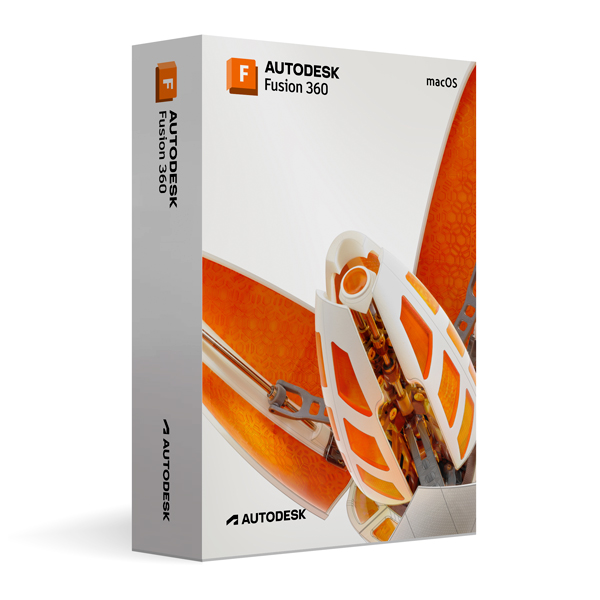
Autodesk Fusion 360 for MacOS
On Offer • Selling Fast£79.99

LIFELONG 24/7 SUPPORT FROM REAL EXPERTS – INCLUDED AT NO EXTRA COST

100% Buyer Protection
Payments protected by Stripe fraud prevention.

Instant Delivery
Automatic email delivery right after payment.

Free Expert Support
Help with setup, activation, and troubleshooting.

Original License
Genuine license securely linked to your account.

Secure Payments
SSL-encrypted payments via trusted providers.

Invoice Available
Download your invoice after purchase.
This edition of Autodesk is licensed for personal and non-commercial purposes under an educational license. It offers the exact same features and performance as the commercial version, produces identical output without watermarks, and ensures full professional-grade functionality.
Overview
Autodesk Fusion 360 for MacOS is an all-in-one cloud-based 3D CAD, CAM, and CAE platform designed for product designers, engineers, and manufacturers who want to bring ideas from concept to production in a single, connected workspace. It combines industrial and mechanical design, simulation, collaboration, and manufacturing tools into one powerful application that runs natively on macOS. Whether you are creating a prototype, designing a complex mechanical assembly, or preparing a part for CNC machining or 3D printing, Fusion 360 provides the flexibility, precision, and integration needed to deliver professional results on time and within budget.
Integrated Design and Engineering
Fusion 360 eliminates the need to switch between multiple applications by offering fully integrated CAD, CAM, and CAE capabilities. You can sketch, model, and assemble mechanical components, apply realistic materials, and simulate how they will perform under real-world conditions—all within the same environment. Direct modeling tools let you quickly make changes without breaking design history, while parametric modeling ensures that every design adjustment is reflected consistently across the project. From concept sketches to fully detailed assemblies, Fusion 360 keeps your workflow organized and your designs accurate.
Advanced Manufacturing Capabilities
Fusion 360 includes powerful CAM tools for creating toolpaths for milling, turning, and additive manufacturing. Adaptive clearing strategies maximize material removal rates while preserving tool life, and 5-axis simultaneous machining support allows you to program even the most complex parts. Built-in additive manufacturing tools let you prepare STL or 3MF files for 3D printing, with automatic support generation and mesh repair. Post-processors are available for a wide range of CNC machines, ensuring that your designs can be manufactured without compatibility issues.
Simulation and Analysis
With integrated simulation tools, Fusion 360 allows you to test your designs before production. Perform static stress analysis, modal frequency analysis, thermal simulations, and more to validate your parts under realistic conditions. This reduces the need for costly prototypes, shortens design cycles, and ensures that the final product will meet performance requirements. Cloud-based simulation computing frees up your local machine for other tasks while speeding up calculation times.
What’s New in Fusion 360
The latest version of Fusion 360 brings improved assembly performance, faster file opening and saving, enhanced rendering quality, and expanded manufacturing capabilities. New AI-assisted design suggestions help automate repetitive tasks, while upgraded generative design tools explore multiple design alternatives based on specified constraints, materials, and manufacturing methods. The CAM workspace has been refined with smarter toolpath strategies and better machine simulation for collision avoidance. Collaboration features have been expanded, allowing for live co-editing and improved version control through Autodesk’s cloud platform.
Cloud Collaboration and Accessibility
Fusion 360 is built for modern, distributed teams. Your projects are stored securely in the cloud, making them accessible from any Mac or PC with Fusion 360 installed. Built-in version control keeps track of design changes, while comment threads and markup tools enable real-time feedback between designers, engineers, and clients. The web-based viewer allows stakeholders to review designs without installing any software, making collaboration seamless and efficient.
Performance & Efficiency on macOS
Optimized for Apple’s macOS environment, Fusion 360 takes advantage of Metal graphics acceleration for smooth 3D modeling and high-resolution rendering. It runs natively on both Intel-based Macs and Apple Silicon (M1/M2 or later) processors, ensuring fast performance and responsive modeling even with large assemblies. The intuitive, customizable interface adapts to your workflow, while context-sensitive tools reduce the number of clicks needed to perform complex operations.
System Requirements
Fusion 360 for MacOS requires macOS Monterey (12), Ventura (13), or later, running on an Intel Core i-series processor or Apple Silicon chip. A minimum of 8 GB RAM (16 GB recommended) and at least 3 GB of free disk space is required. An internet connection is necessary for installation, activation, and cloud collaboration. A dedicated graphics card or integrated GPU with Metal support is recommended for optimal 3D performance.
Simple Activation
With your purchase, you will receive the official Autodesk Fusion 360 installer for MacOS, a detailed step-by-step installation guide, and activation through your Autodesk account—no license key required. Once activated, you’ll have lifetime access for personal and educational use under the terms of the educational license, with all updates included during your license period.
Why Choose Fusion 360 for MacOS
Fusion 360 is more than just CAD software—it’s a complete product development platform. By integrating design, engineering, manufacturing, and collaboration in one tool, it streamlines the product development process, reduces overhead, and eliminates the inefficiencies of juggling multiple software applications. Whether you are a student, hobbyist, or professional engineer, Fusion 360 offers the tools you need to design and manufacture at the highest level.
Design Without Limits
Order Autodesk Fusion 360 for MacOS today and unlock the power of a unified design and manufacturing platform. Download instantly, activate securely, and start creating innovative products with the speed, precision, and flexibility that modern engineering demands.
Related products
-

Microsoft Windows 11 Home
£19.99






Nathan P. –
Simple and professional. Everything was active right away.
Luke S. –
The service was excellent from start to finish. Everything was handled quickly, and I felt confident the entire time. Activation was instant and problem-free. I’m very satisfied.
Charlotte B. –
The service was straightforward and efficient. Everything was activated right away without issues. I was impressed with the speed and professionalism. Excellent experience.
Sarah B. –
Setup was smoother than expected.
Emily R. –
It wasn’t a pleasant surprise or a bad one, just a fairly standard experience.
Beth C. –
The process was okay, just required a bit of attention.
Steven A. –
The whole process was stress-free. Everything worked straight away, and I never had to worry about delays. It was quick, reliable, and very professional. I couldn’t be happier.
Oliver S. –
The process was a bit slower than I like, but I didn’t see any errors or warnings.
Matthew P. –
It took a bit of time, but no troubleshooting needed.
Scott S. –
No headaches during setup.
Harry S. –
No errors, no confusion, just a standard setup.
Matt L. –
No errors popped up, which was a relief.
Hannah S. –
All worked as it should.
Tom B. –
Went through without issues.
Declan M. –
A bit slow at one point, but fine.
Joe R. –
At one point I thought it might’ve frozen, but it carried on after a short wait. In the end, it worked without errors.
Charlotte H. –
Nothing stood out, but nothing annoyed me either.