
Reviews (18)
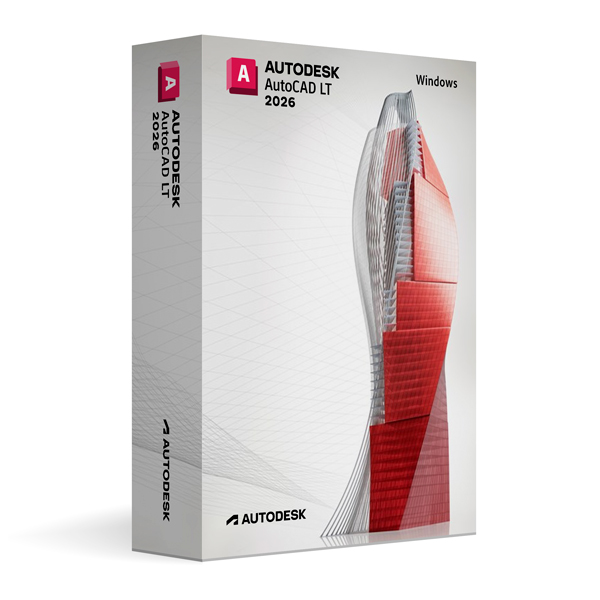
Autodesk AutoCAD LT 2026 for Windows
On Offer • Selling Fast£89.99

LIFELONG 24/7 SUPPORT FROM REAL EXPERTS – INCLUDED AT NO EXTRA COST

100% Buyer Protection
Payments protected by Stripe fraud prevention.

Instant Delivery
Automatic email delivery right after payment.

Free Expert Support
Help with setup, activation, and troubleshooting.

Original License
Genuine license securely linked to your account.

Secure Payments
SSL-encrypted payments via trusted providers.

Invoice Available
Download your invoice after purchase.
This edition of Autodesk is licensed for personal and non-commercial purposes under an educational license. It offers the exact same features and performance as the commercial version, produces identical output without watermarks, and ensures full professional-grade functionality.
Overview
Autodesk AutoCAD LT 2026 for Windows is a professional-grade 2D drafting and documentation software designed for precision, speed, and reliability. Built on the trusted AutoCAD platform, AutoCAD LT offers the essential tools for creating accurate technical drawings without the additional complexity of 3D modeling. Whether you are an architect, engineer, designer, or drafter, AutoCAD LT 2026 provides a streamlined workflow that allows you to focus on delivering high-quality documentation quickly and efficiently.
Professional 2D Drafting Tools
AutoCAD LT 2026 delivers a full suite of 2D drawing features, including advanced dimensioning, multi-line text, hatching, and block creation tools. Dynamic input and object snaps help ensure precision in every element of your design, while layer management and annotation scaling keep drawings organized and clear. With support for external references (Xrefs), you can work collaboratively across multiple files and maintain drawing accuracy throughout the project lifecycle.
What’s New in AutoCAD LT 2026
The 2026 release brings improved performance, enhanced automation, and better integration with cloud workflows. New AI-assisted drafting tools help speed up repetitive tasks, while enhanced PDF import capabilities allow for more accurate conversion of existing documents into editable CAD geometry. Performance upgrades make navigation and editing smoother, even in large drawings, while updated interface enhancements provide a cleaner, more intuitive design environment.
Streamlined Performance for Windows
Optimized for Windows 10 and Windows 11, AutoCAD LT 2026 takes advantage of modern hardware for faster command execution and improved rendering of complex 2D drawings. Its lightweight installation and efficient memory usage make it an ideal solution for professionals who require high performance without unnecessary features. The familiar Windows interface ensures an easy transition for existing AutoCAD users while maintaining a smooth learning curve for newcomers.
Collaboration & Workflow Integration
AutoCAD LT 2026 supports the DWG file format, ensuring compatibility with clients, consultants, and partners using AutoCAD or other CAD software. Integration with Autodesk Docs allows for secure cloud storage, version control, and remote access to your files. With Markup Import and Markup Assist, you can incorporate feedback directly into your drawings without manual tracing, improving collaboration efficiency. AutoCAD web and mobile app access ensures you can view and edit your work from virtually anywhere.
Customization & Efficiency
While AutoCAD LT does not include the advanced customization APIs of full AutoCAD, it still offers significant flexibility through custom tool palettes, keyboard shortcuts, and command aliases. This allows users to streamline workflows and adapt the interface to fit their needs. Its simplified feature set ensures maximum productivity for 2D drafting while avoiding the complexity of full 3D modeling environments.
System Requirements
Autodesk AutoCAD LT 2026 for Windows requires Windows 10 or Windows 11 (64-bit) and a multi-core Intel or AMD processor. A minimum of 8 GB RAM is required (16 GB recommended), along with a DirectX 12 compatible graphics card with at least 2 GB VRAM. Installation requires approximately 4 GB of free disk space, plus additional storage for project files.
Simple Activation
When you purchase AutoCAD LT 2026 for Windows, you receive the official Autodesk installer, a detailed installation guide, and activation via your Autodesk account—no license key required. Once activated, you will have lifetime access for personal and educational use under the educational license terms.
Why Choose AutoCAD LT 2026 for Windows
AutoCAD LT provides the essential drafting tools you need without the complexity of 3D modeling, making it the perfect choice for professionals who focus on high-precision 2D work. The 2026 release enhances performance, streamlines collaboration, and introduces smarter automation tools to save time and reduce errors. It is an ideal solution for creating detailed, accurate, and professional technical drawings in a fast-paced design environment.
Draft with Precision
Order Autodesk AutoCAD LT 2026 for Windows today to experience the latest advancements in professional 2D drafting software. Download instantly, activate securely, and start producing accurate and professional documentation with the reliability and precision of the industry-standard AutoCAD platform.







Molly H. –
The steps were easy to follow, and everything worked exactly as described. The activation was almost instant, which I really appreciated. It’s nice to have such a reliable service available. Very pleased with the outcome.
Liam B. –
I wasn’t entirely sure how it would go at first, but once I started following the steps, it made sense. Setup took a bit of time, though nothing failed or needed restarting.
Zahra L. –
Setup was fine, no complaints.
Philip R. –
Very professional and reliable. Everything worked on the first try.
Chloe R. –
This was an excellent experience overall. The service was quick, reliable, and completely stress-free. Activation happened immediately without any errors. It felt professional and trustworthy the whole time. I’ll definitely use it again.
Joe W. –
Instructions were mostly clear. Missed one detail at first, but that was on me.
Abigail L. –
Very fast and reliable service. Everything was set up instantly without any problems.
Alfie M. –
The process was okay, though not especially polished.
Jamie H. –
No major complaints. It did what it needed to do without causing problems.
Fiona P. –
No problems on my side.
Will W. –
It wasn’t instant, but nothing felt broken.
Kieran T. –
The process was okay, just not very fast.
Dean P. –
Quite an easy process.
Rory W. –
The setup felt slow, though it completed without errors.
Daisy M. –
Everything went through without needing fixes.
Owen T. –
Setup was smoother than expected.
Amira S. –
Nothing unexpected happened.
Oscar S. –
Not the fastest experience, and not the clearest either, but it got there eventually.