
Reviews (14)
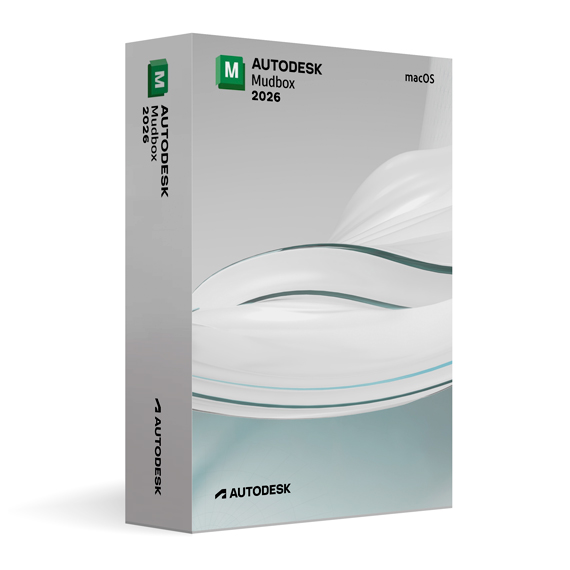
Autodesk Mudbox 2026 for MacOS
On Offer • Selling Fast£89.99

LIFELONG 24/7 SUPPORT FROM REAL EXPERTS – INCLUDED AT NO EXTRA COST

100% Buyer Protection
Payments protected by Stripe fraud prevention.

Instant Delivery
Automatic email delivery right after payment.

Free Expert Support
Help with setup, activation, and troubleshooting.

Original License
Genuine license securely linked to your account.

Secure Payments
SSL-encrypted payments via trusted providers.

Invoice Available
Download your invoice after purchase.
This edition of Autodesk is licensed for personal and non-commercial purposes under an educational license. It offers the exact same features and performance as the commercial version, produces identical output without watermarks, and ensures full professional-grade functionality.
Overview
Autodesk Mudbox 2026 for macOS is a next-generation digital sculpting and texture painting tool designed to bring artistic vision to life with unmatched precision and performance. Built specifically for 3D modelers, animators, and visual effects professionals, this version takes full advantage of Apple’s latest hardware and operating systems, delivering a smooth and efficient workflow for high-resolution sculpting and painting. Whether you’re designing film-quality characters or detailed product prototypes, Mudbox 2026 provides the creative control and professional-grade tools you need.
Professional 3D Sculpting Experience
Mudbox 2026 allows artists to sculpt detailed 3D models with millions of polygons while maintaining exceptional responsiveness. The enhanced brush system offers greater sensitivity and accuracy, supporting tilt and pressure controls on macOS-compatible stylus devices. Its intuitive layering system lets you manage fine details, from broad shapes to subtle surface textures, giving you complete control over every stage of your creative process.
Advanced Texture Painting and Realistic Materials
This version introduces significant improvements in the painting workflow, including high-fidelity PBR (Physically Based Rendering) materials that simulate real-world lighting and surface interaction. With advanced projection painting, artists can apply textures, normal maps, and displacement maps directly onto 3D surfaces in real time. Mudbox 2026 also supports multi-channel texture painting at resolutions up to 8K, ensuring professional-level output ready for film, games, or industrial design visualization.
Optimized for macOS Performance
Autodesk Mudbox 2026 has been fully optimized for macOS Ventura and Sonoma, leveraging Apple Silicon (M1, M2, and M3 chips) to deliver faster sculpting, painting, and rendering performance. The software uses Apple’s Metal 2 graphics API for improved stability and real-time responsiveness. With smarter memory management and GPU acceleration, even large models with multiple layers render smoothly without slowdowns.
Enhanced Tools and Workflow Efficiency
Mudbox 2026 refines its core toolset with more powerful sculpting brushes, non-destructive workflows, and adaptive tessellation for dynamic geometry creation. Artists can now remesh, smooth, and refine surfaces in a single step, maintaining clean topology throughout the modeling process. The updated UI provides a clutter-free workspace with customizable panels, perfect for extended creative sessions on macOS.
Seamless Integration with Autodesk Software
Mudbox 2026 for macOS integrates seamlessly with Autodesk Maya, 3ds Max, and Fusion 360, ensuring a consistent and connected workflow across applications. Files can be exchanged through the FBX and OBJ formats, preserving textures, UVs, and high-resolution details. This makes it easy to move between modeling, animation, and rendering stages without compatibility issues or loss of data fidelity.
What’s New in Mudbox 2026
– Optimized performance for Apple Silicon (M1/M2/M3).
– Enhanced brush responsiveness and stylus tilt support.
– Improved PBR material workflow for ultra-realistic texturing.
– New automatic mesh retopology and projection tools.
– Redesigned interface for macOS with 4K and Dark Mode support.
– Expanded Python API for automation and custom tool creation.
Automation and Customization
Mudbox 2026 supports extensive customization through Python scripting, enabling users to automate tasks, build custom UI tools, and create production-specific workflows. This flexibility makes it ideal for studios or freelancers who want to enhance productivity and tailor the software to their needs.
System Requirements
- Operating System: macOS Monterey, Ventura, or Sonoma
- Processor: Apple M1/M2/M3 or Intel Core i7 (minimum 4 cores)
- Memory: 16 GB RAM minimum (32 GB recommended)
- Graphics: Apple GPU or AMD Radeon GPU compatible with Metal 2, 4 GB VRAM or higher
- Storage: 10 GB available disk space (SSD recommended)
- Internet Connection: Required for activation and updates
Installation and Activation
When you purchase Autodesk Mudbox 2026 for macOS from Omega Keys, you will receive the official installer along with detailed activation instructions. Simply install the software, sign in with your Autodesk account, and begin sculpting immediately with full access to all professional features.
Why Choose Autodesk Mudbox 2026
Mudbox 2026 combines artistic freedom with technical precision, offering a professional-grade sculpting environment that performs flawlessly on macOS. Its combination of powerful sculpting tools, realistic texturing workflows, and seamless Autodesk integration makes it the go-to choice for artists seeking top-quality results without compromise.
Start Creating Today
Purchase Autodesk Mudbox 2026 for macOS from omegakeys.com and experience the next level of digital sculpting and painting performance — built for speed, creativity, and professional excellence.
Related products
-
Microsoft Windows 10 Home
£19.99







Ryan S. –
The experience was okay overall. Not quick, not especially polished, but it got there in the end. I did have to pay attention to the instructions, though.
Sophie C. –
No complaints so far.
Freya T. –
It required patience, but no troubleshooting.
Sophie S. –
randomise tone levels (more sceptical / more positive)
Freya P. –
Not perfect, but acceptable overall.
Brenda M. –
Nothing confusing at any point.
Arthur H. –
Fairly straightforward once I slowed down and followed the steps.
Nick W. –
I had low expectations going in, but it turned out alright. No errors or warnings at least.
Daisy H. –
Not much feedback really, it just worked.
Sameer W. –
It worked once I followed the steps properly. Setup wasn’t quick, but nothing failed.
Louis L. –
Overall it was fine. Not the fastest process I’ve used, but I didn’t hit any errors.
Lucy M. –
It took some patience, especially during the waiting parts, but nothing failed.
Jack M. –
I was half-expecting to need help, but it turned out unnecessary. Setup finished without issues.
Daisy W. –
Everything went through once I stopped rushing.