
Reviews (4)

Autodesk Inventor Professional 2025 for Windows
On Offer • Selling Fast£69.99

LIFELONG 24/7 SUPPORT FROM REAL EXPERTS – INCLUDED AT NO EXTRA COST

100% Buyer Protection
Payments protected by Stripe fraud prevention.

Instant Delivery
Automatic email delivery right after payment.

Free Expert Support
Help with setup, activation, and troubleshooting.

Original License
Genuine license securely linked to your account.

Secure Payments
SSL-encrypted payments via trusted providers.

Invoice Available
Download your invoice after purchase.
This edition of Autodesk is licensed for personal and non-commercial purposes under an educational license. It offers the exact same features and performance as the commercial version, produces identical output without watermarks, and ensures full professional-grade functionality.
Overview
Autodesk Inventor Professional 2025 for Windows is a premier 3D mechanical design, simulation, and documentation software trusted by engineers, product designers, and manufacturers worldwide. Known for its precision, performance, and robust feature set, Inventor Professional allows you to create detailed parametric models, validate designs with integrated simulation tools, and produce accurate manufacturing documentation. Whether working on small components or large assemblies, Inventor 2025 provides the tools and workflows to bring ideas from concept to production efficiently and accurately.
Comprehensive Mechanical Design Tools
Inventor Professional 2025 delivers a complete set of design capabilities, including parametric, direct, and freeform modeling. You can create highly accurate parts and assemblies, apply realistic materials and textures for visualization, and generate 2D drawings that update automatically when the 3D model changes. Specialized toolsets for sheet metal, frame design, and piping & tubing are included, enabling you to tackle complex engineering challenges without leaving the Inventor environment.
What’s New in Inventor Professional 2025
The 2025 release introduces improved graphics performance for smoother viewport navigation and faster rendering of large models. New AI-assisted commands help automate repetitive modeling tasks, while enhanced assembly modeling allows for better handling of massive datasets. Simulation tools have been upgraded to provide more accurate stress, thermal, and motion analysis, giving engineers deeper insight into product performance before manufacturing. Inventor 2025 also strengthens interoperability with Autodesk Fusion 360, AutoCAD, and other CAD platforms through expanded file format compatibility and improved AnyCAD functionality.
Simulation & Validation
Integrated simulation capabilities let you test and optimize designs under real-world conditions. Perform static and dynamic stress analysis, motion simulation, and modal analysis to ensure strength, safety, and durability. Optimization features help refine geometry to reduce material costs and improve efficiency without sacrificing quality, making your designs more competitive and sustainable.
Collaboration & Data Management
Inventor Professional 2025 works seamlessly with Autodesk Vault for secure file storage, version control, and collaborative workflows. Cloud-based sharing features enable real-time collaboration with team members and stakeholders, regardless of location. The AnyCAD technology ensures compatibility with models from other CAD software without losing design associativity, allowing you to integrate third-party data smoothly into your projects.
Performance & Customization
Built for high-demand engineering projects, Inventor 2025 offers faster load times, optimized memory usage, and a more responsive interface. Users can personalize their workspace, create custom tool palettes, and automate workflows using iLogic scripting to reduce repetitive work and improve efficiency. The upgraded graphics engine provides high-quality visualizations for design reviews, presentations, and client approvals.
System Requirements
Autodesk Inventor Professional 2025 for Windows requires Windows 10 or Windows 11 (64-bit) and a multi-core Intel or AMD processor. A minimum of 16 GB RAM is recommended (32 GB for large projects), with a DirectX 11 compatible graphics card and at least 4 GB VRAM for smooth 3D performance. Installation requires 40 GB of free disk space, plus additional room for project files and libraries.
Simple Activation
With your purchase, you will receive the official Autodesk Inventor Professional 2025 installer for Windows, a detailed setup guide, and activation via your Autodesk account—no license key is required. Once activated, you will have lifetime access for personal and educational use under the terms of the educational license.
Why Choose Inventor Professional 2025 for Windows
Inventor Professional is trusted for its unmatched balance of design power, simulation accuracy, and collaboration capabilities. The 2025 version enhances this reputation with performance boosts, smarter tools, and broader compatibility, helping engineers design better products in less time. From industrial equipment to consumer goods, Inventor Professional 2025 delivers the precision, reliability, and efficiency you need to stay ahead in today’s competitive market.
Take Your Designs Further
Order Autodesk Inventor Professional 2025 for Windows today and experience the next level of 3D mechanical design. Download instantly, activate securely, and start creating professional-quality designs backed by Autodesk’s industry-leading technology.
Related products
-
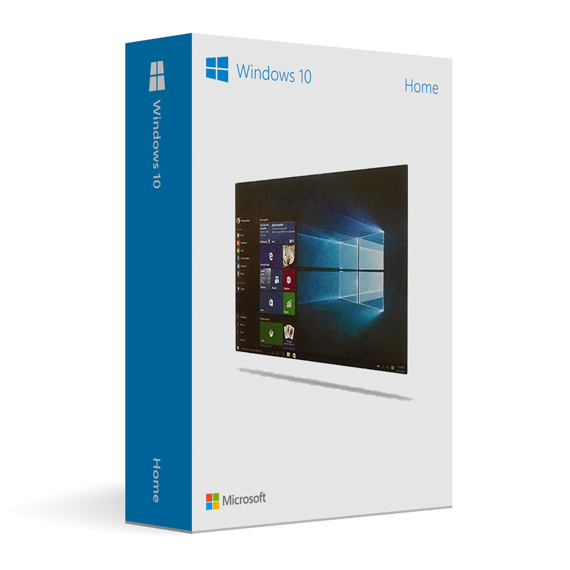
Microsoft Windows 10 Home
£19.99



Rosie W. –
The entire experience was excellent from beginning to end. Everything was clear, quick, and problem-free. I really appreciated the reliability and ease of use. It made the whole process stress-free.
Isabella H. –
Fast response, very reliable.
Esme H. –
Very reliable and professional experience.
Charles C. –
The process was straightforward and efficient. Everything worked the first time without issues. It gave me confidence that the service is professional and secure. I’ll be using it again.