
Reviews (14)
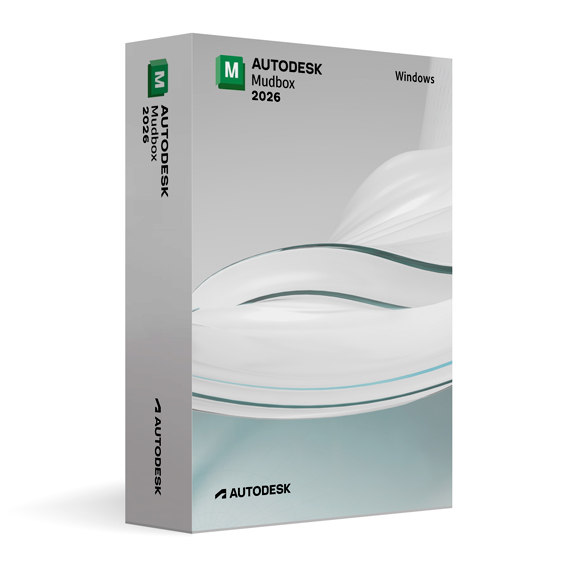
Autodesk Mudbox 2026 for Windows
On Offer • Selling Fast£89.99

LIFELONG 24/7 SUPPORT FROM REAL EXPERTS – INCLUDED AT NO EXTRA COST

100% Buyer Protection
Payments protected by Stripe fraud prevention.

Instant Delivery
Automatic email delivery right after payment.

Free Expert Support
Help with setup, activation, and troubleshooting.

Original License
Genuine license securely linked to your account.

Secure Payments
SSL-encrypted payments via trusted providers.

Invoice Available
Download your invoice after purchase.
This edition of Autodesk is licensed for personal and non-commercial purposes under an educational license. It offers the exact same features and performance as the commercial version, produces identical output without watermarks, and ensures full professional-grade functionality.
Overview
Autodesk Mudbox 2026 for Windows is the latest version of Autodesk’s industry-leading digital sculpting and texture painting software, offering an enhanced workflow for 3D artists, designers, and visual effects professionals. Known for its precision and flexibility, Mudbox 2026 combines intuitive tools with powerful performance, allowing users to create, sculpt, and texture high-resolution 3D models with remarkable speed and accuracy.
Professional 3D Sculpting
Mudbox 2026 enables artists to sculpt high-resolution models containing millions of polygons while maintaining fluid performance. Its adaptive subdivision tools allow precise detailing only where needed, optimizing both speed and efficiency. Artists can shape complex organic surfaces or hard-edged forms with complete creative freedom, using pressure-sensitive brushes that deliver natural and realistic sculpting control.
Advanced Texture Painting
This version introduces improvements to Mudbox’s texture painting engine, offering enhanced brush precision, faster response times, and expanded PBR (Physically Based Rendering) support. Artists can paint color, bump, specular, and normal maps directly on the 3D surface, previewing results in real time. The seamless integration of layer-based painting ensures flexibility, enabling users to make quick edits without losing any quality.
Optimized Performance and Stability
Mudbox 2026 for Windows leverages the latest GPU and CPU technologies, offering smoother viewport rendering, faster baking times, and greater stability with large models. The new caching system reduces memory load while maintaining responsive performance during complex operations. Combined with an updated interface optimized for Windows 10 and 11, Mudbox 2026 delivers an efficient and dependable sculpting experience even under heavy workloads.
Seamless Autodesk Integration
Mudbox 2026 integrates seamlessly with other Autodesk software, including Maya, 3ds Max, and Fusion 360. Models can be easily transferred between applications using FBX or OBJ formats, ensuring that sculpted details and textures remain intact. This integration streamlines the creative pipeline, allowing teams to iterate quickly from concept to final production.
Enhanced Toolset and User Experience
Autodesk has refined Mudbox’s toolset to provide greater accuracy and control. The brush engine now supports tilt and rotation for advanced stylus users, offering more expressive sculpting and painting options. Symmetry tools have also been improved, enabling precise mirroring even across asymmetrical surfaces. The interface remains intuitive and clean, minimizing distractions and keeping focus on creative flow.
What’s New in Mudbox 2026
– Enhanced PBR material system for realistic texturing.
– Improved viewport lighting and shading engine.
– Faster layer management and undo system.
– Updated retopology tools for cleaner, animation-ready meshes.
– Stability improvements for heavy multi-layer projects.
– Extended Python support for workflow automation and customization.
Automation and Customization
With expanded Python scripting capabilities, users can automate repetitive tasks, build custom tools, and tailor Mudbox 2026 to their specific workflow. This flexibility makes it ideal for studios that need scalable, efficient, and consistent production environments.
System Requirements
- Operating System: Windows 10 or Windows 11 (64-bit)
- Processor: Intel Core i7 or AMD Ryzen 7 (minimum 4 cores)
- Memory: 16 GB RAM (32 GB or more recommended)
- Graphics: NVIDIA or AMD GPU with DirectX 12 support and at least 4 GB VRAM
- Storage: 10 GB of available space (SSD recommended)
- Internet Connection: Required for activation and updates
Installation and Activation
Upon purchasing Autodesk Mudbox 2026 for Windows from Omega Keys, you will receive the official Autodesk installer and detailed step-by-step activation instructions. Simply install the software, log in with your Autodesk account, and start sculpting immediately with full professional functionality.
Why Choose Autodesk Mudbox 2026
Mudbox 2026 combines unmatched sculpting precision, robust texturing tools, and high performance to empower artists to bring their ideas to life in 3D. Whether you are working in film, game design, or industrial visualization, this version provides the tools and stability needed to achieve exceptional results.
Start Creating Today
Purchase Autodesk Mudbox 2026 for Windows at omegakeys.com to access a professional-grade sculpting and texturing environment designed for speed, accuracy, and limitless creativity.
Related products
-
Microsoft Windows 10 Home
£19.99




George B. –
The process was fine, just not instant.
Margaret L. –
I didn’t need to fix or restart anything, so that’s a plus.
Daniel W. –
I was expecting issues, but none came up.
Tariq R. –
It worked, though it took longer than expected.
Callum M. –
It didn’t feel particularly modern, but it did what it was supposed to do without throwing errors.
Nicola C. –
Not perfect, but good enough.
Ben B. –
Easy to get going.
Lucy B. –
Everything went through okay.
George T. –
I wouldn’t call it smooth, but I wouldn’t call it broken either. Just a functional setup that took some time.
Samuel L. –
The process felt slightly slow and manual, but there were no errors at least.
Thomas L. –
Pretty straightforward overall.
Salma C. –
I went in with low expectations, so I was relieved when nothing failed. It wasn’t fast, but it didn’t cause problems either.
Daniel T. –
Fairly normal experience. Took a bit of time, though everything went through fine.
Jamie H. –
At first I wasn’t convinced it was doing anything, as there was a pause during setup that made me doubt it. That said, it eventually completed and worked without needing to restart or fix anything.